
User Profile
User Profile lets the user modify details like:
- Password
- Company
- Contact person
- Contact number
- Email ID
All the details are mandatory.
To change password, click the checkbox beside the new password field as shown below.
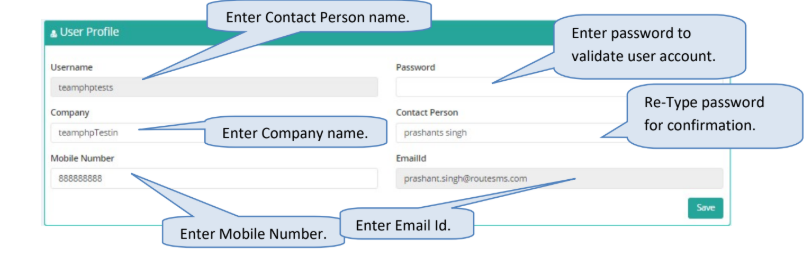
Explanation for the above fields
- Username: This displays the username for the logged in user.
- Password: Enter password, required for validation of the user.
- New Password: If password has to be changed the click the checkbox and enter New Password.
- Confirm New Password: Re-type the new password to confirm new password.
- Company: Enter the company name.
- Contact Person: Enter the contact person name in the company.
- Mobile Number: Enter the mobile number for the contact person.
- Email Id: Enter the valid email-id for the contact person or company.
Updated 3 months ago
Did this page help you?