
Reports
View message reports in SmsPlus SGN Client to check delivery status, credit usage, daily statistics, summaries, and product-specific reporting data.
Overview
Reports show details of messages sent using SmsPlus SGN Client. These details can include delivery status, detailed credit usage, current-day statistics, and other message-related information.
Reports are grouped into the following categories:
| Report category | Explanation |
|---|---|
| Log reports | Show statistics about individual message parameters. |
| Daily Statistics reports | Show message statistics for the current day. |
| Summary reports | Display total values of message parameters between two dates. |
| Other reports | Show message statistics about other products integrated into the SmsPlus SGN Client portal. |
View reports
Use the Reports menu to view available reports.
- From the menu, click Reports.
- Select the report you want to view.
- If the report requires a date range, click the Date From and Date To boxes.
- Select dates from the calendars.
- Click Search to generate the report or view details.
Log Reports
Log reports include the Credit Details report, SMS Report, and DLR Stats Report.
Credit Details Report
The Credit Details report displays the current credit balance and outstanding overdraft. It also displays the credit change log for the selected time interval in the Credit Details section.
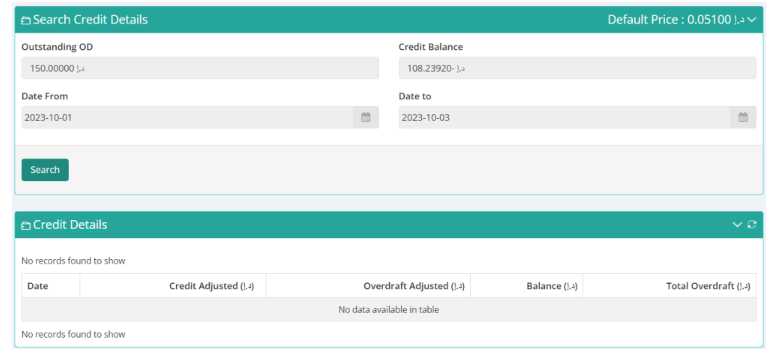
Credit Details Report
SMS Report
The SMS Report displays details of all sent messages, the price charged, and the delivery status for the selected date range.
You can search for a particular mobile number, sender, or message detail by typing keywords in the search boxes.
You can also export the SMS report in comma-separated value format (.csv).
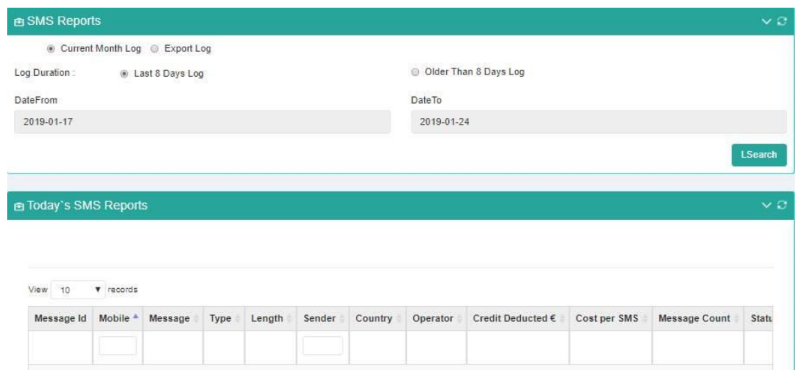
SMS Report
DLR Stats Report
The DLR Stats Report lets you filter data date-wise and month-wise, along with country and operator filters.
The report shows parameters such as:
- Cost per SMS
- Message count
- Message parts
- Total charge
- Delivered count
- Delivered percentage
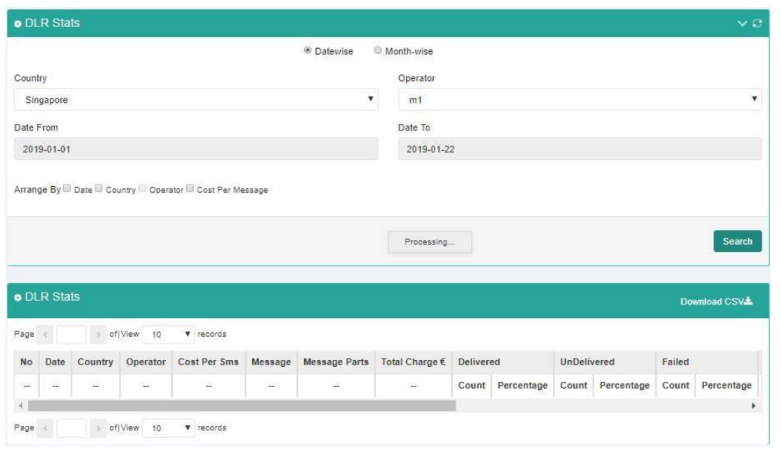
DLR Stats Report
Daily Statistics Reports
Daily Statistics reports include the Today’s Stats report.
Today’s Stats Report
The Today’s Stats report displays the current day’s message count details.
It includes:
- Total messages
- Total message parts
- Total credit deducted
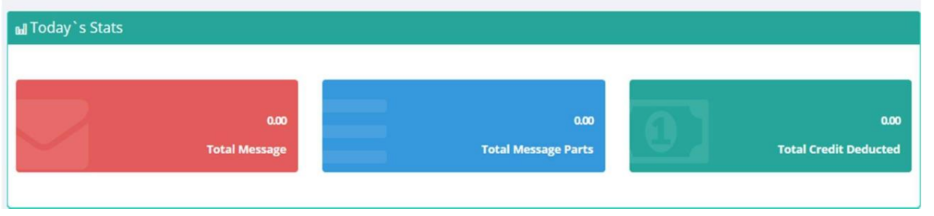
Today’s Stats Report
Summary Reports
Summary reports display the total values of message parameters between two dates.
Dates must be within the same month.
Dashboard
The dashboard provides a single-pane-of-glass view showing summaries of various message parameters. You can display results between selected date ranges.
To view the dashboard:
- Go to the menu bar.
- Click Dashboard.

Dashboard on Menu Bar
Dashboard components
The dashboard includes charts and summary views for delivery status, SMS summary, operator-wise message count, and date-wise submission count.
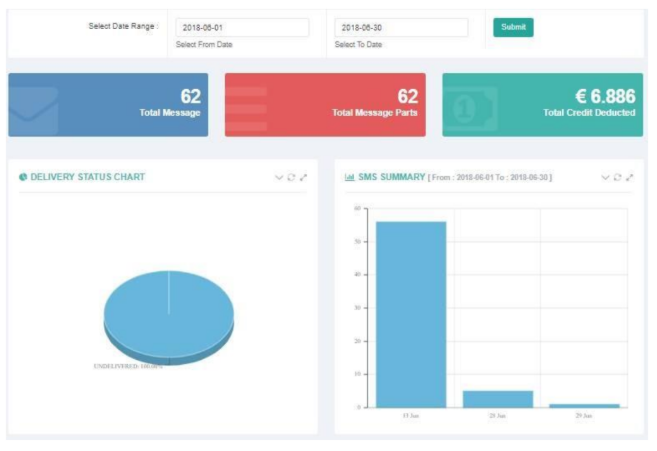
Delivery Status and SMS Summary Column Chart
The dashboard components show the following information:
- Total messages, message parts, and credits: Shows the total value of these parameters between the selected dates.
- Delivery Status Chart: Shows the percentage of delivered and undelivered messages between the selected dates. Place the pointer over a pie slice to see the total number of messages.
- SMS Summary column chart: Shows the total messages sent on a daily basis.
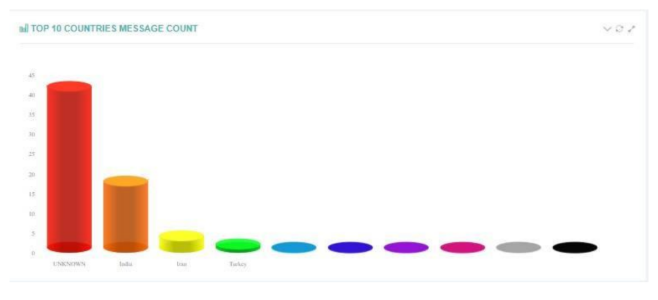
Operator’s Message Count
The Operator’s Message Count chart shows the total messages sent between the selected dates on an operator-wise basis.
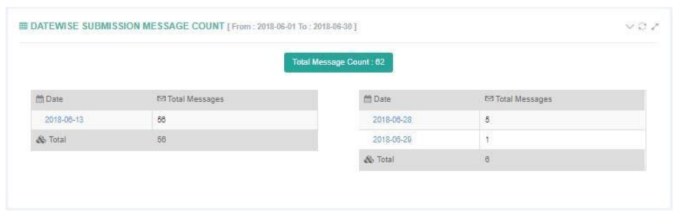
Date-wise Submission Message Count
The Date-wise Submission Message Count chart shows the total messages submitted on a day-to-day basis between your selected date range.
SMS Summary Report
The SMS Summary Report displays date-wise sent SMS count and total price charged, along with country-operator details for the selected date range.
You can also:
- View month-wise message parameters.
- View a summary for a particular country and operator by selecting them based on your preference.
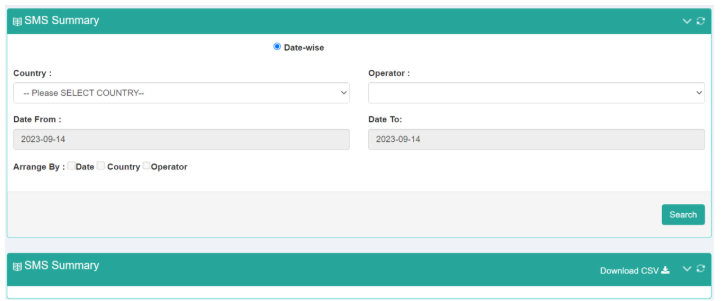
Date-wise Submission Message Count
Other Reports
Other reports show statistics and parameters of other products integrated into the SmsPlus SGN Client portal.
Acculync Report
The Acculync Report displays user analytics for generated short links.
You can filter data using:
- Dates
- Campaign names
The report shows parameters such as:
- Destination mobile number
- Type of device
- Browser used
- Operating system used
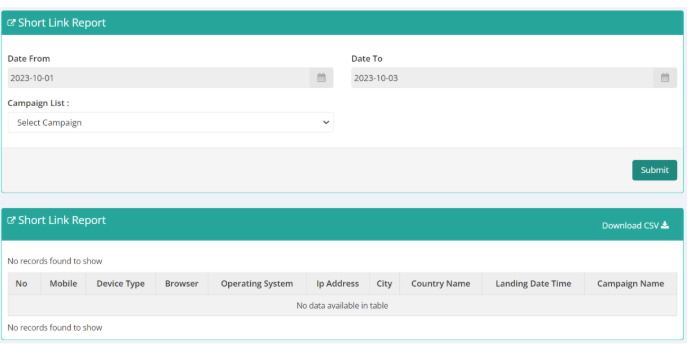
Acculync Report
Two-way Summary Report
The Two-way Summary Report provides details of keywords received, the subsequent response message, and completion date.
You can specify a date range to view the report.
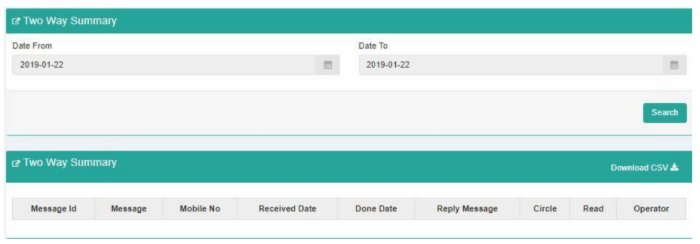
Two-Way Summary Report
OTP Status Report
Use the OTP Status Report to view the OTPs you have sent.
The report also shows OTP-related details such as:
- Destination mobile number
- Time sent
- Status
To generate and refine the report:
- Select the date range.
- Generate the report.
- Narrow the results by typing the mobile number and campaign name.
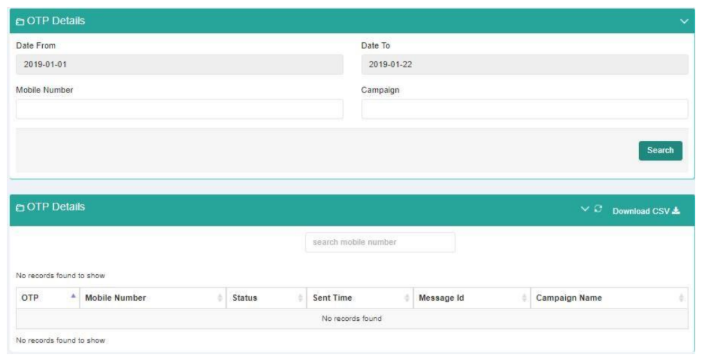
OTP Status Report
Updated 2 months ago