
Notes
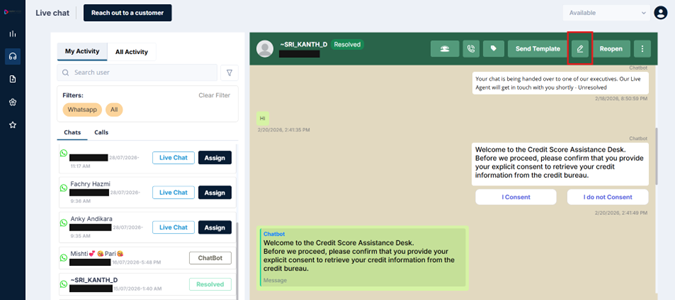
Edit Icon
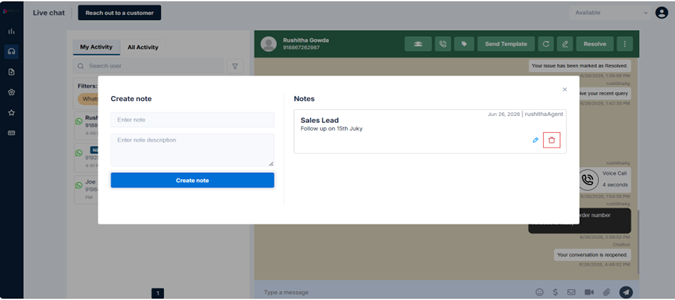
The Notes feature lets you leave internal notes on a conversation — messages that are visible only to agents, never to the customer. Notes are your running record of the conversation: what's been discussed, what's outstanding, and any context a colleague would need if they pick this up later.
Notes are especially useful for:
- Summarizing the key points of a WhatsApp voice call (since calls are not automatically recorded)
- Documenting what documentation has been requested from the customer and when
- Leaving handoff notes before reassigning a conversation to another agent
- Tracking the conversation's history across multiple interactions with the same customer
Adding a Note
-
Click the edit/note icon in the conversation header
-
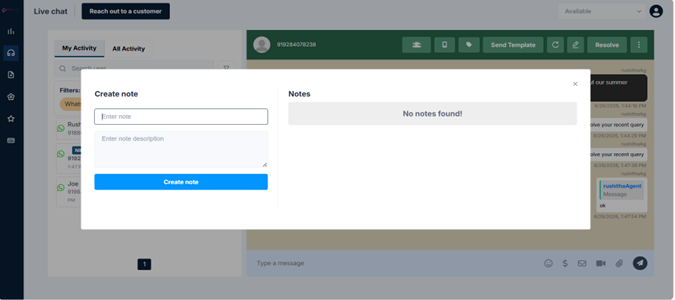
A note input field opens — type your note
-
Click Create note to save it
The note appears in the conversation thread, clearly marked as an internal note so it's visually distinct from actual messages.
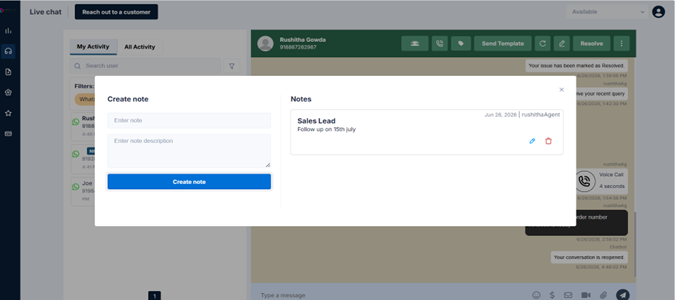
Editing and Deleting Notes
Notes are not permanent:
-
To edit: click the edit option on the note — update the text and save
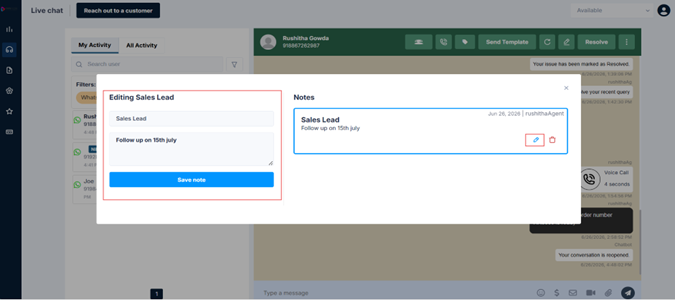
-
To delete: click the delete option on the note — it's removed immediately
Updated 3 months ago