
Tags
Label Icon
Tags Feature
The Tags feature lets you attach one or more labels to the customer's conversation. Tags are your way of categorizing contacts — by inquiry type, priority, follow-up timeline, or any classification that makes sense for your team's workflow.
For example, you might tag a customer as:
- Tech Lead to indicate the customer's role or segment
- Escalated to flag the conversation as requiring extra attention
How to add a tag
-
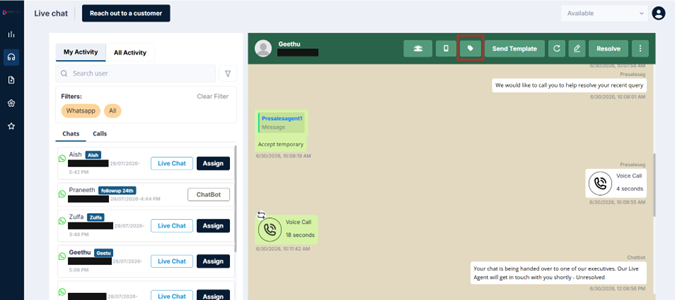
Click the label/tag icon in the header
-
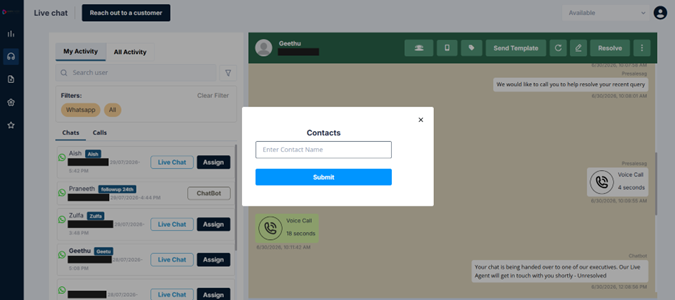
Type the tag name in the field that appears
-
Click Submit
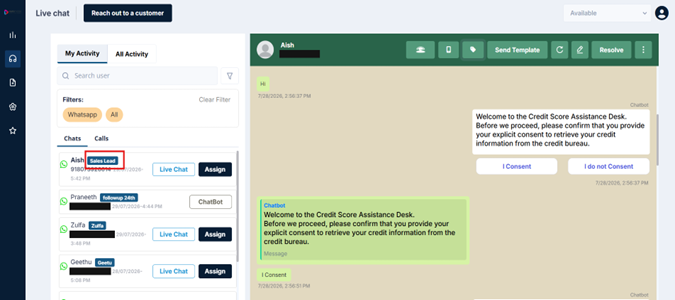
Once a tag is applied, it appears alongside the customer's name in the left panel. Tags are also searchable — type a tag name in the search bar and ROUBOT will surface all conversations carrying that label.
Updated 3 months ago
Did this page help you?