
Acculync URL Shortening
Create branded Acculync short URLs, use them in WhatsApp templates and CTA buttons, and track campaign clicks.
Use Acculync to create branded short URLs, add them to messaging campaigns, and track link clicks through portal reports.
Document information
Acculync 1.0 API
Document Number: V 1.3
Date: July 16, 2024
© 2024 Route Mobile Limited. All rights reserved.
| Document Name | Acculync 1.0 API |
|---|---|
| Document Description | Reference API document describing the functioning of the Acculync 1.0 API. |
| Effective Date | Document Number | Change Summary |
|---|---|---|
| November 21, 2019 | V 1.0 | Initial copy. |
| January 31, 2022 | V 1.1 | URL change. |
| April 2, 2024 | V 1.2 | URL change. |
| July 16, 2024 | V 1.3 | URL change. |
Route Mobile Limited, 3rd Floor, 4th Dimension Building, Mind Space, New Link Road, Malad (W), Mumbai-400 064, India.
[email protected] · www.routemobile.com · +91-22-40337676
What you can do with Acculync
Shorten long URLs for messaging campaigns.
Use a listed custom domain in the shortened URL.
Create links for single contacts or multiple contacts.
Review click details such as device, location, browser, IP address, city, and campaign.
API quick start
Acculync creates unique URLs that you can embed in messaging campaigns to reduce character length and cost.
Authentication and reporting
- Generate an authentication token in the portal.
- Copy the token into your API request header.
- Use the portal to generate summary and click reports for your Acculync campaigns.
The token is valid for 10 years.
Endpoint
The base URL is http://acculync.rmlconnect.net/api.

The endpoint returns a short URL that combines the domain name and characters representing the long URL supplied in the request body.
Request parameters
Pass the long URL in the request body. All query parameters are optional. Pass the authentication token in the request header.
Request body
| Parameter | Required | Description |
|---|---|---|
| url | Yes | Long URL to shorten. |
Query parameters
| Parameter | Default | Type | Description |
|---|---|---|---|
| user_name | default | String | Name of the user. |
| host_url | http://rml.fm | String | Listed custom domain. |
| campaign_name | default | String | Name of the campaign. |
| campaign_id | DEFAULTCAMPAIGN | String | Campaign ID. |
| msisdn | NA | String | Mobile number that receives the shortened URL. |
Status codes
| Status | Text | Description |
|---|---|---|
| 201 | Created | The request and response are successful. |
| 400 | Invalid Request/Invalid Payload | The long URL is not provided. Ensure required parameters are present and content type is application/json. |
| 401 | Invalid Auth Token | The token is incorrect, missing, or expired. Regenerate the token. |
Sample request
The sample request uses the host_url value http://rml.fm.

Sample request
Sample response
The response maps the long URL, such as routemobile.com, to a short URL using the selected custom domain.

Sample response
Create short URLs in the portal
- Request Route Mobile to enable Acculync on your portal.
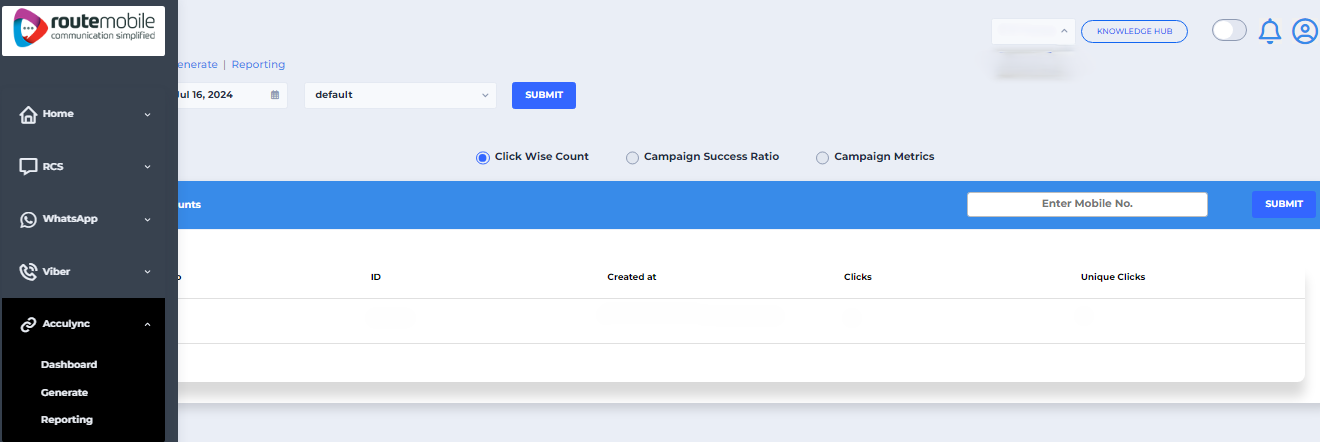
- Open Generate and choose Single Contact or Multi Contact.
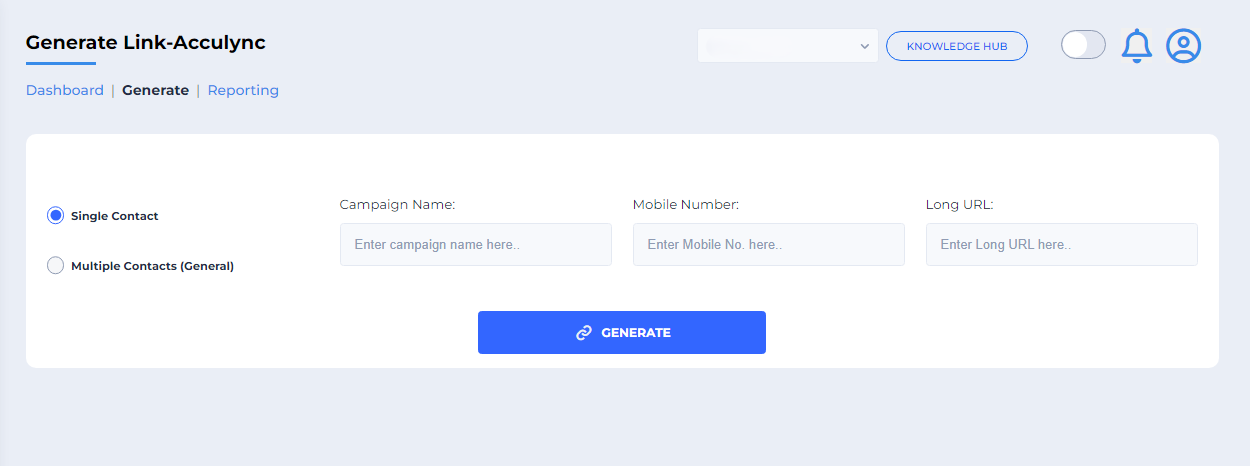
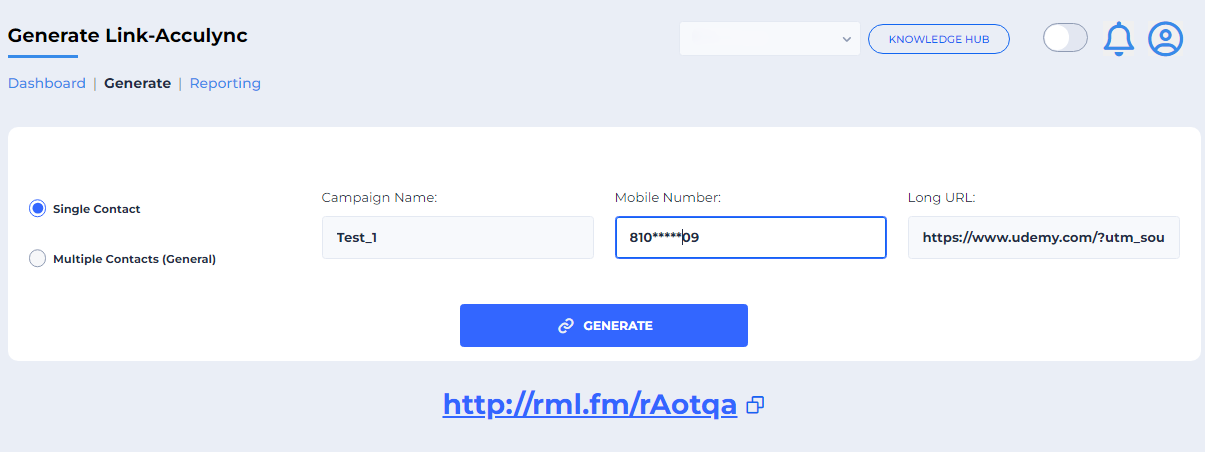
- For a single contact, enter Campaign name, Mobile Number, and Long URL, then select Generate.
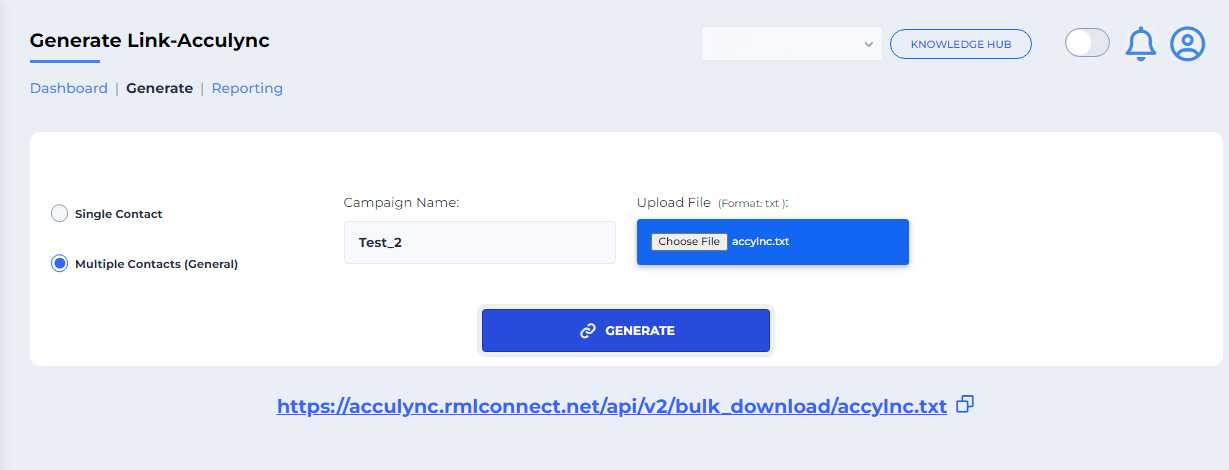
Optional: Generate links for multiple contacts
Enter the Campaign name and upload a .txt file containing the numbers. Acculync generates links for the listed contacts.
Use Acculync in WhatsApp templates
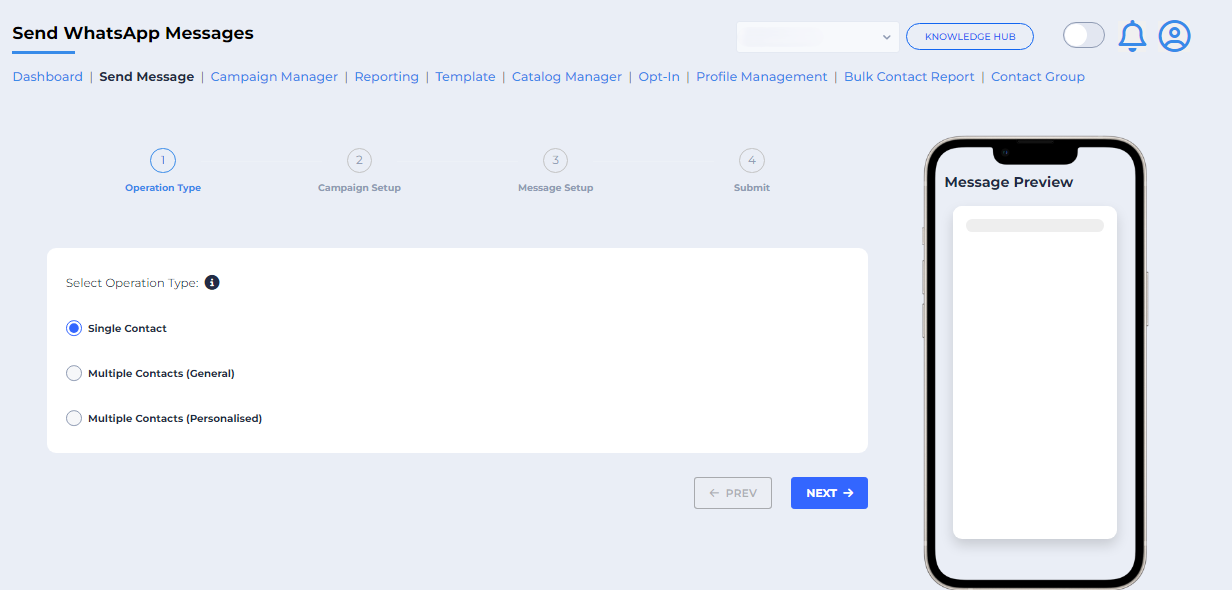
- In the WhatsApp panel, select Send Message.
- Choose Single Contact or Multiple Contacts.
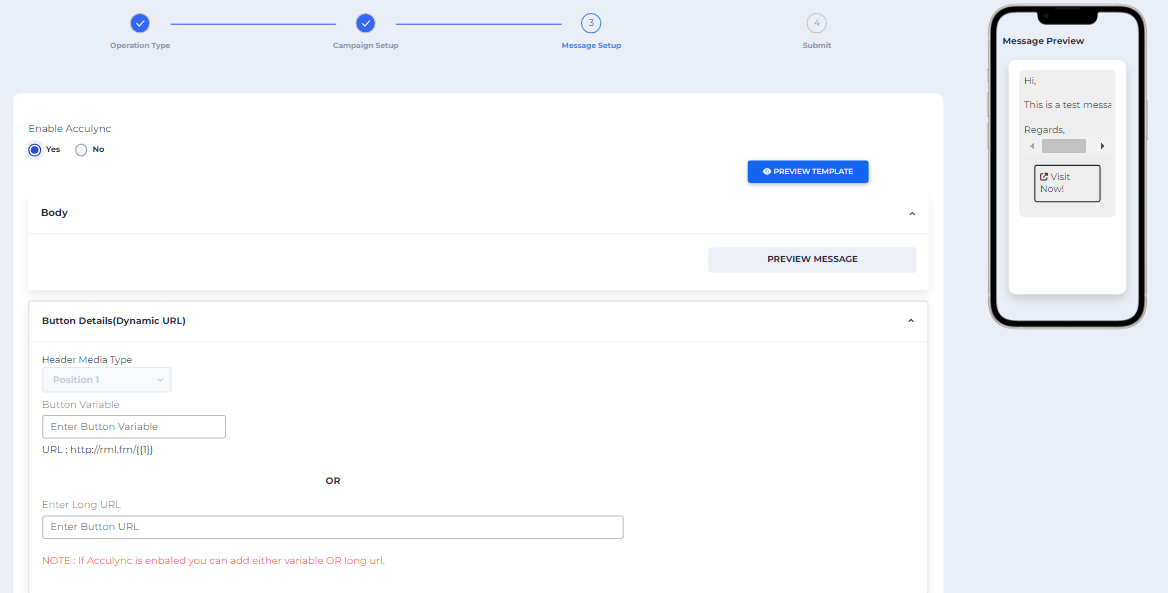
- In Message Setup, enable Acculync to add a variable or long URL and track link clicks.
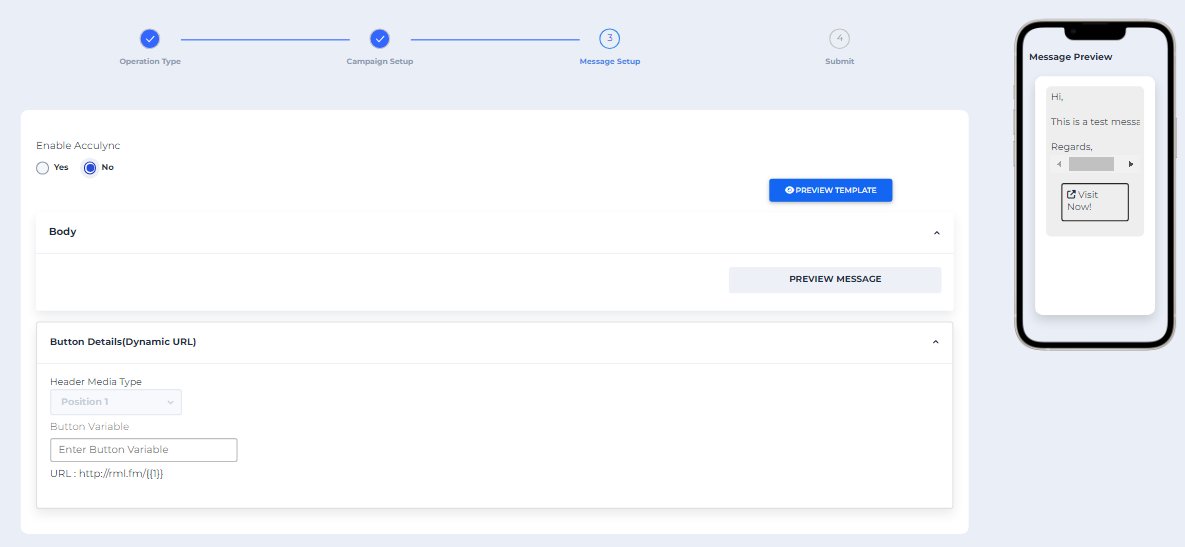
- If you do not enable Acculync, enter the generated Button Variable link. The template displays that Acculync link.
Use Acculync in a WhatsApp CTA button
- While creating the template, select the CTA button URL type: Static or Dynamic.
- For a static URL, enter the complete website URL.
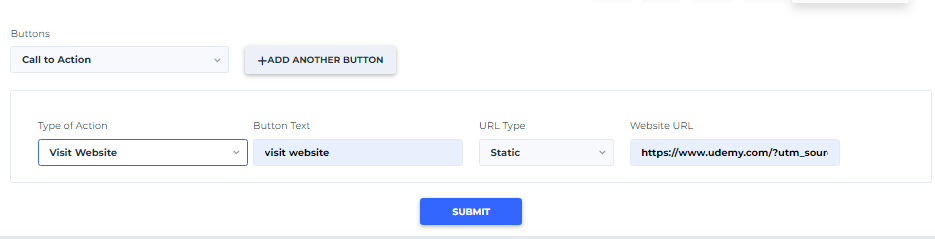
- For a dynamic URL, enter the Acculync domain, such as http://rml.fm, in Website URL. In Add Sample, enter the complete website URL.
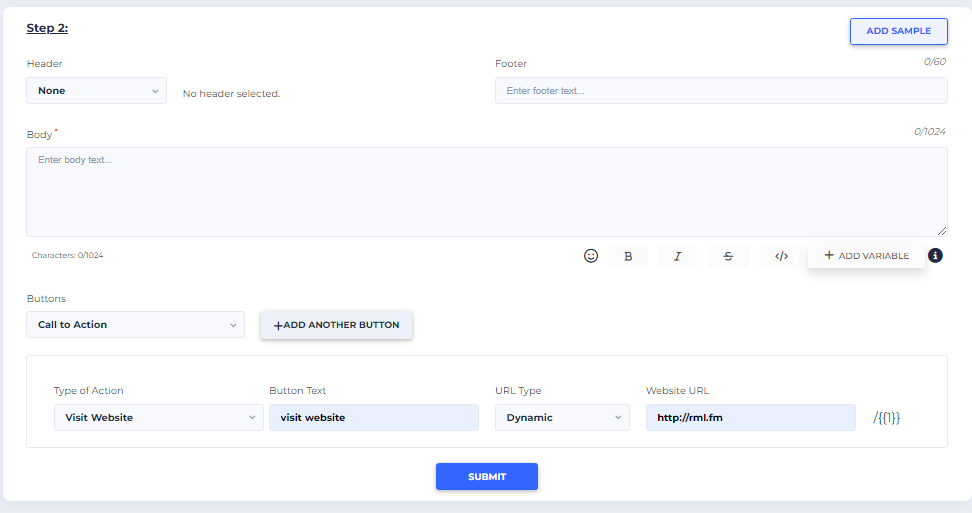
- Use CTA reporting to track clicks and attributes such as latitude, longitude, IP address, city, and campaign.
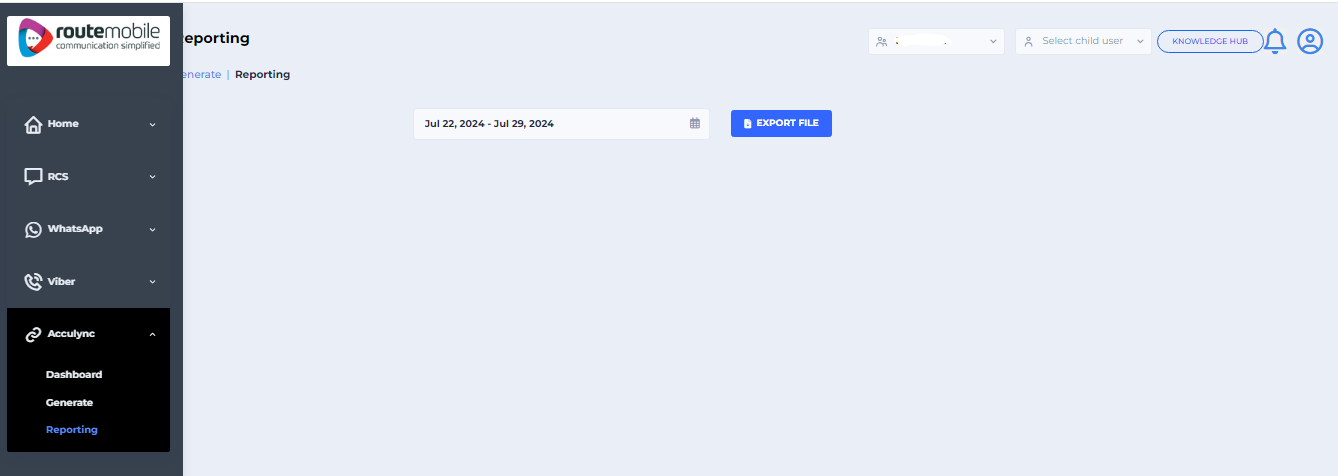
Optional: Send CTA links to multiple contacts
- Select Multiple Contacts in the Send Message section and select Next.
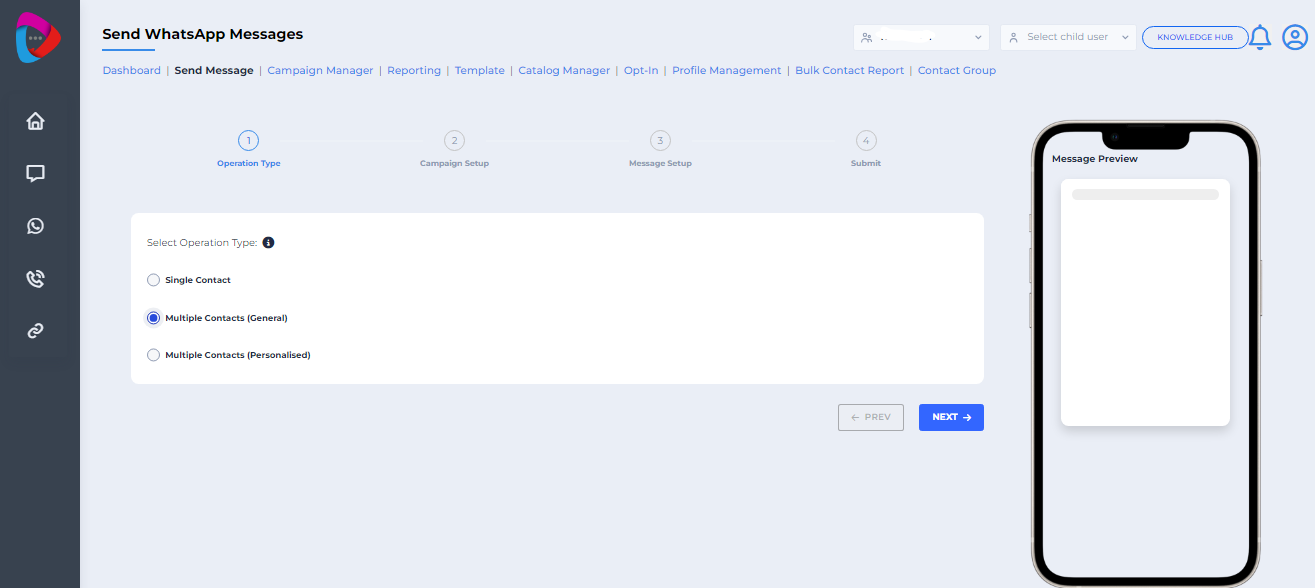
- In Campaign Setup, enter
{{1}}in the button variable and select Next.
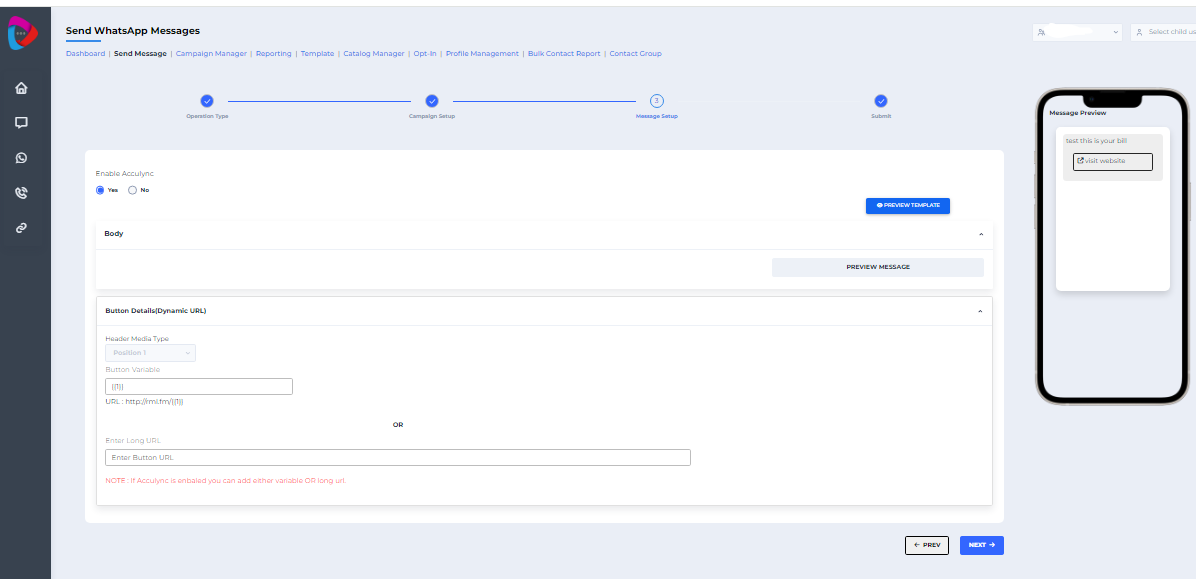
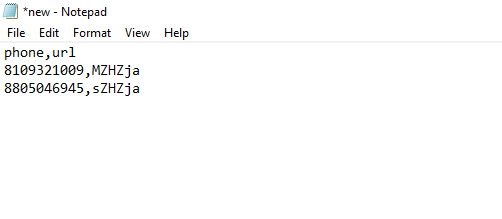
- Upload a
.txtfile containing the numbers and their generated Acculync links. Use the headers shown in the example.
What happens after sending
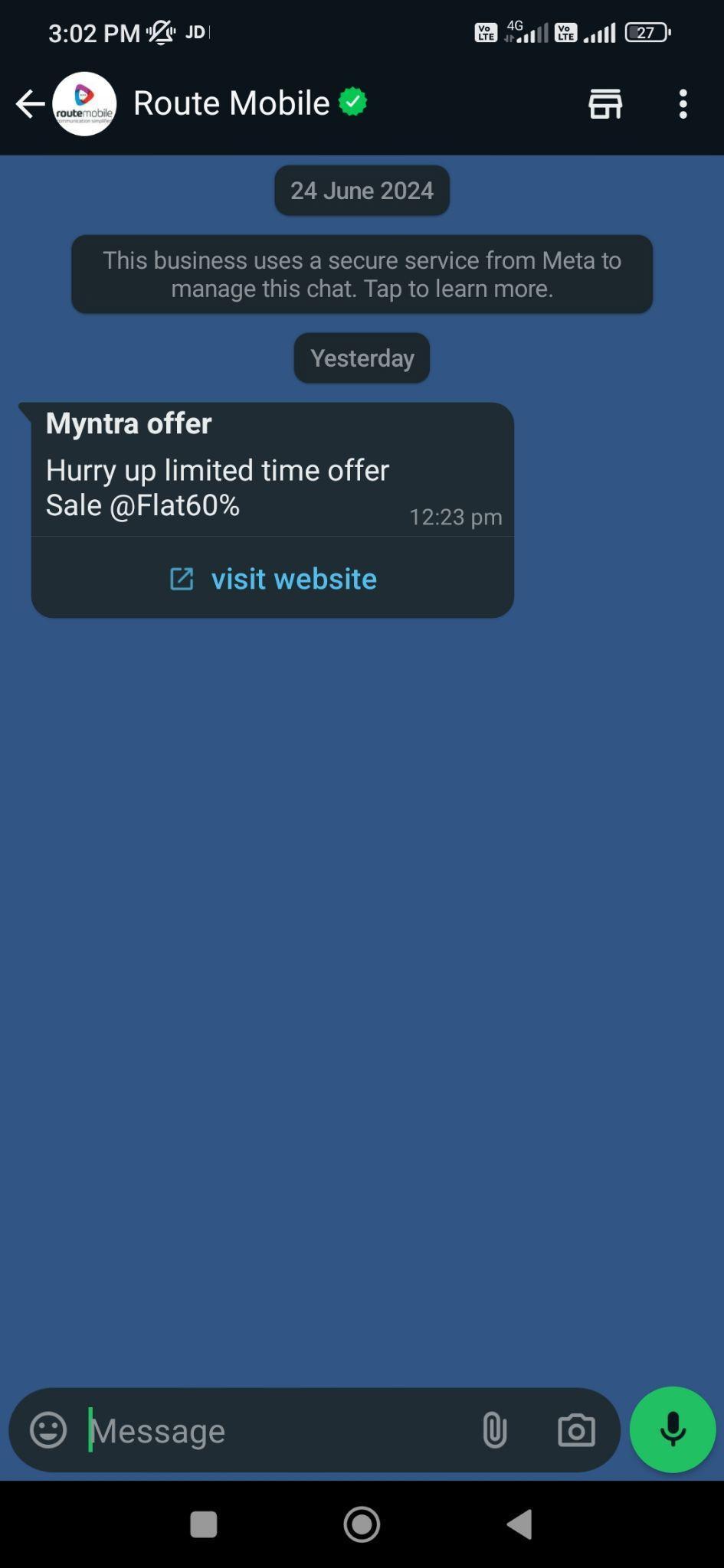
The recipient receives the WhatsApp template with an Acculync button. When the recipient selects the button, it opens the destination website. You can review the click activity in the reporting section.
Updated 2 months ago