
The Conversation View
Right Panel
Chat Workspace Overview
Once you open a chat — whether by accepting an incoming request or clicking on a conversation in your left panel — the right side of the screen becomes your full workspace for that interaction. This is where you:
- Read the customer's messages
- Respond to inquiries
- Manage the conversation's status
- Access every tool you need — all without leaving the screen
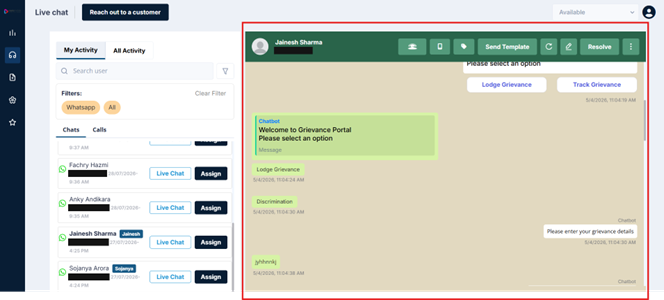
Right Panel Guide
This section walks you through every element of the right panel, from the very top of the screen down to the message input bar at the bottom.
Updated 3 months ago
Did this page help you?