
RBM Campaign Manager
Use Campaign Manager to review campaign performance, filter campaign records, and manage actions such as pause, resume, reschedule, resend, and report creation.
Review campaign performance
Follow these steps to view campaign analysis:
- Select the campaign date and time range using Start Date and End Date.
- Choose the Campaign Name.
- Filter campaigns using the options available in Campaign Status.
- Click Submit to view the campaign analysis.
The campaign analysis provides the following details:
| Field | Description |
|---|---|
| Campaign Name | Name of the selected campaign. |
| ID | Unique campaign identifier. |
| Status | Current campaign status. |
| Start Time | Campaign start time. |
| End Time | Campaign end time. |
| SMS Fallback | SMS fallback status or count. |
| Submitted Count | Number of messages submitted. |
Delivered and Read counts are updated in Campaign Manager every hour after the campaign is completely processed. Brands can download the campaign-wise summary and refresh the page for updates.
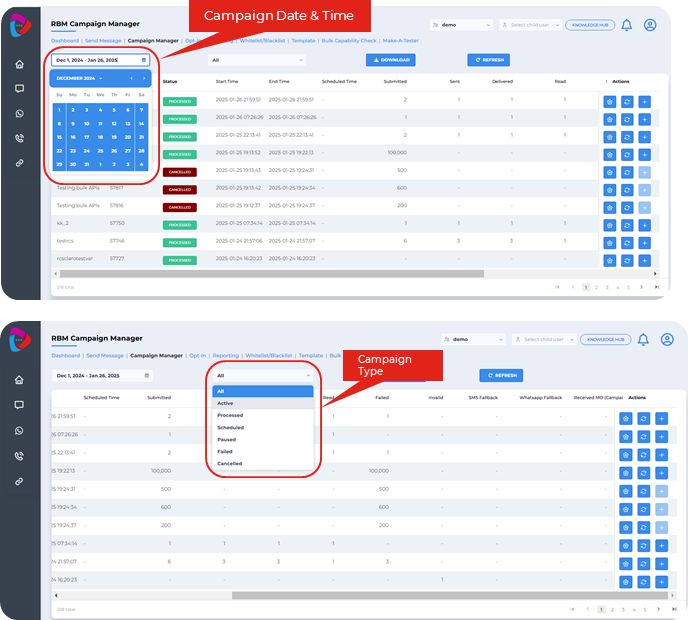
Campaign Manager filters and campaign analysis
Manage campaign actions
Use the campaign action options to manage active, paused, or scheduled campaigns.
Campaign Action
You can perform the following campaign actions:
- Pause an active campaign.
- Resume a paused campaign.
- Reschedule an already scheduled campaign.
- Cancel a paused campaign.
Resend Campaign
Use Resend campaign when you want to send or reschedule a previous campaign again.
- Click the Resend campaign button.
- The system redirects you to the Send Message tab.
- Review the pre-loaded campaign details from the previous campaign.
- Upload the file again.
- Make changes if required, then send or reschedule the campaign.
Create Report
Use Create Report to generate a detailed campaign report.
- Click the Create Report button.
- Choose the required projections for the report.
- Select whether you want a full campaign report or a report with only responses received for a particular campaign.
- Click Submit to submit the report creation request.
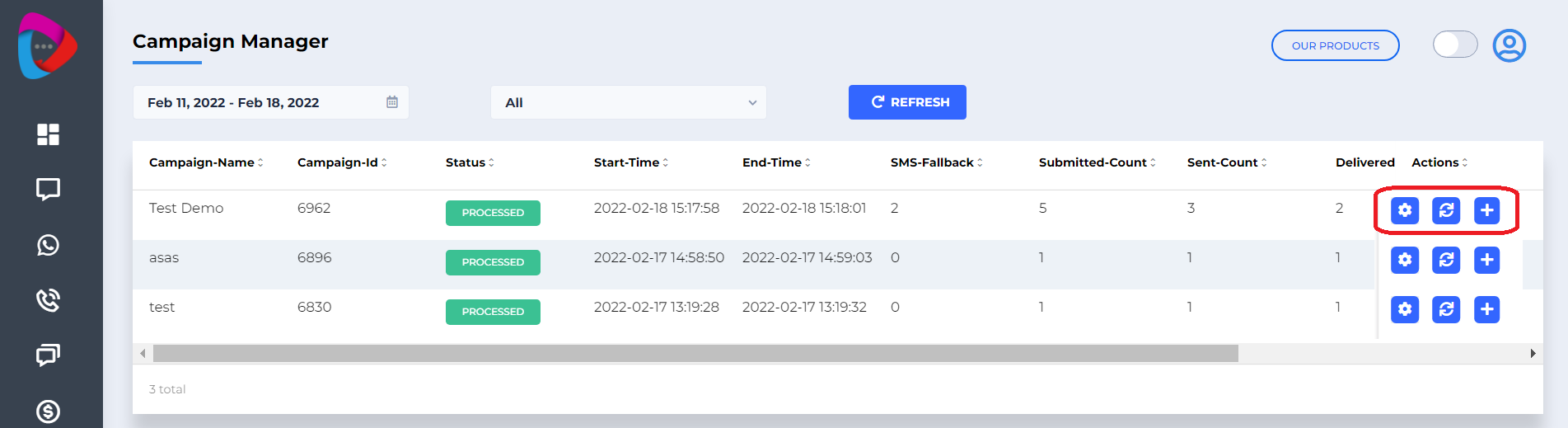
Campaign actions, resend campaign, and report creation
Updated 3 months ago