
Conversation Classification Badge
Classification Badges
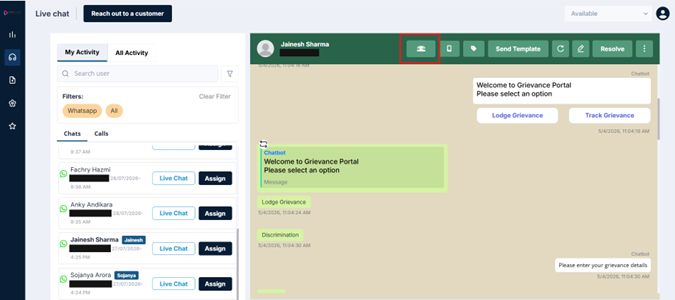
To the right of the customer's name, you may see a classification badge — that indicates how this conversation is currently classified. There are two states you'll encounter here:
Agent Drop
This is the default classification for any unresolved chat. It means the system is holding the agent accountable for closing the ticket. Every chat starts here unless changed.
User Drop
This classification is applied only when you, the agent, explicitly mark it. It signals that the hold-up is on the customer's side — they have a dependency or haven't responded despite follow-ups.
How to Mark a Chat as User Drop
- Click the User Drop option in the header
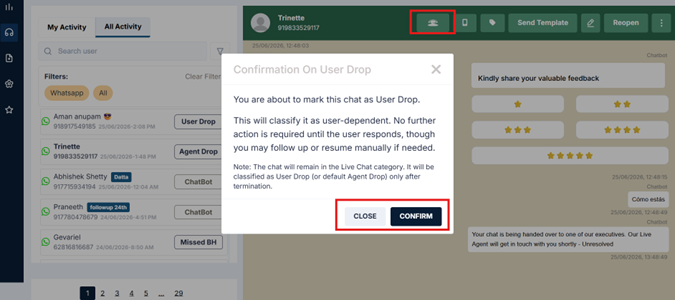
- A confirmation dialog will appear explaining what this means — that the chat will be classified as user-dependent, and no further action is required from you until the customer replies
- Click Confirm to apply it
What Happens Next
If the customer replies after you've marked User Drop, ownership automatically resets to Agent Drop. The ball is back in your court. If you need to mark User Drop again, you can do so.
Why This Matters
Agent Drop is not a penalty — it's a default. It keeps supervisors informed about which tickets still need attention. Marking User Drop when appropriate protects your performance record and gives your supervisor accurate visibility into why a chat went unresolved. Use it whenever the customer has a clear dependency that is preventing closure.
Updated 3 months ago