
How to create Template
Template Guidelines
Before developing a template, read the template guidelines, which explain the many template types, their rules and constraints, and other requirements.]
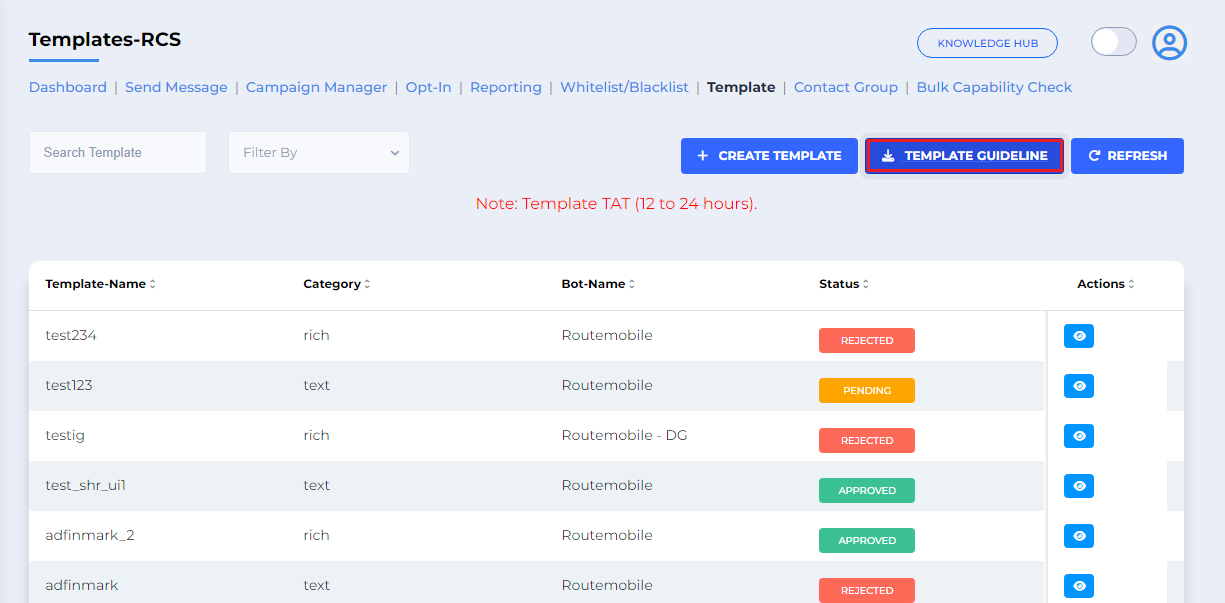
Create RCS Template
After being directed to the Template Page:
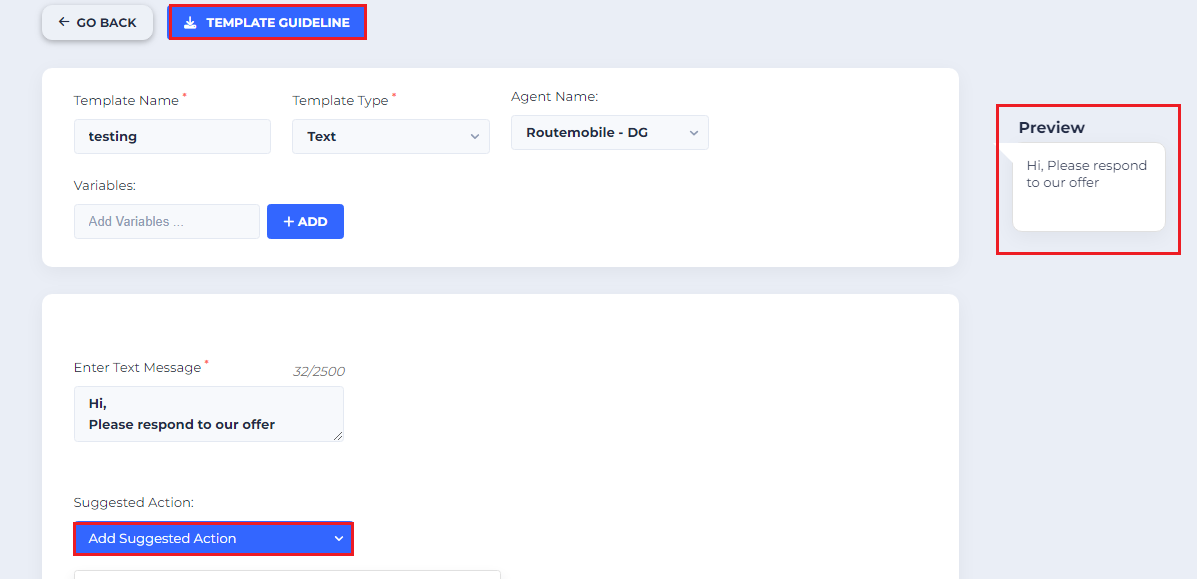
- Create a template: On the next page, you can start putting all the details of the template.
- Template Guidelines: Use the template guidelines link if you want to refer to the rules and restrictions for creating a template.
- Preview: Review the details in the Preview box on the right side of the page to see how they will appear in the RCS text message.
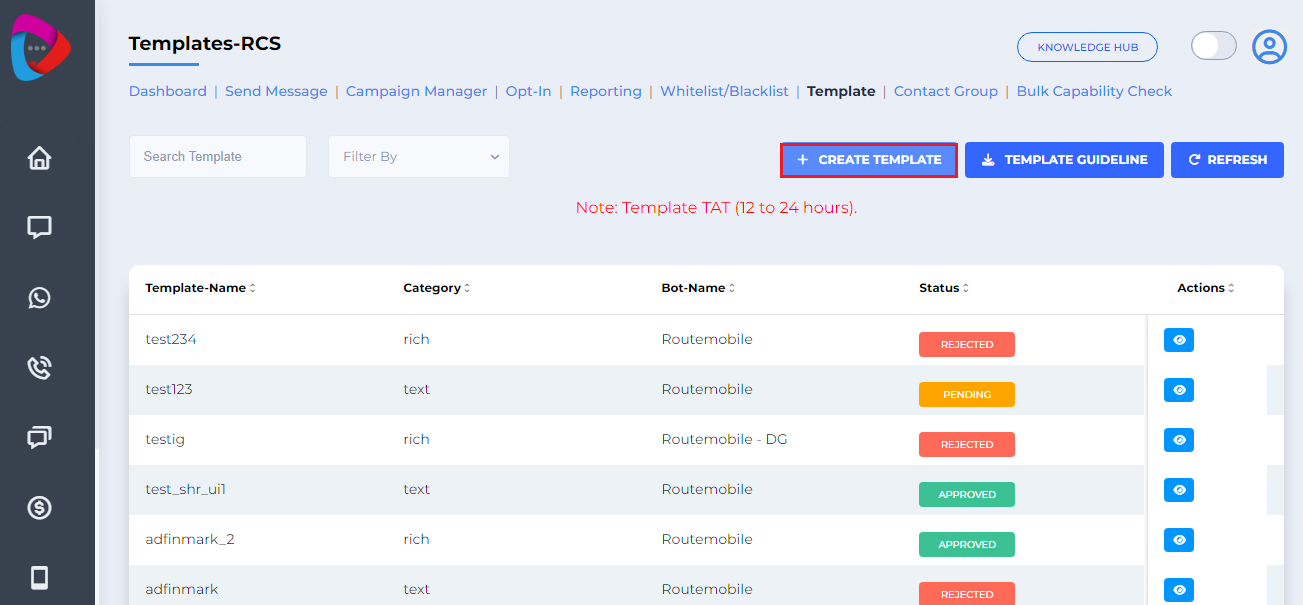
Create Template
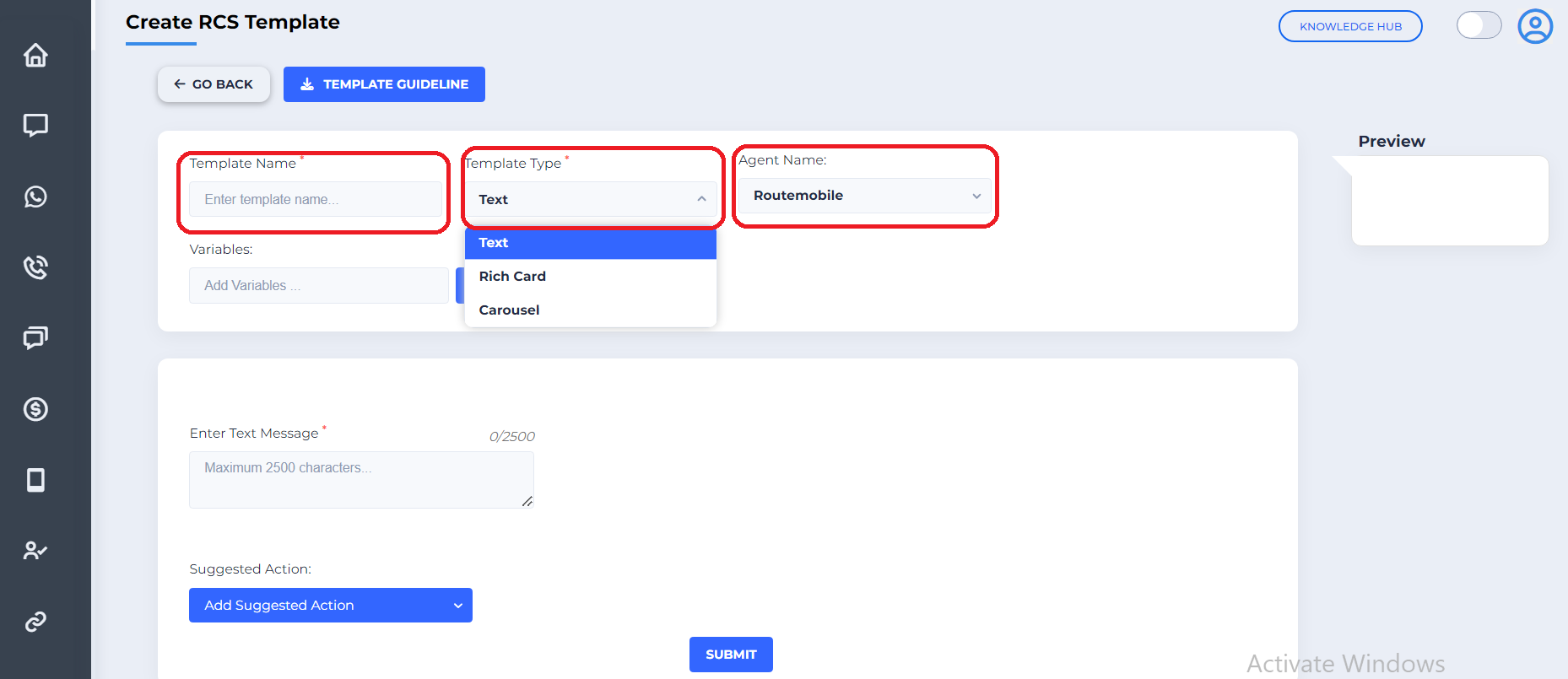
Click on the Create Template button and enter the template details:
- Template name: It shouldn't exceed 20 characters.
- Template Type: Select the type for which you want to create the template.
- Agent name: Select the agent name based on which agent you need to create.
- Text Message: Character limit for text message is 2500, where you can add up to 11 suggested buttons. If the limit is within 160 characters, then it falls under basic text message.
Template Overview
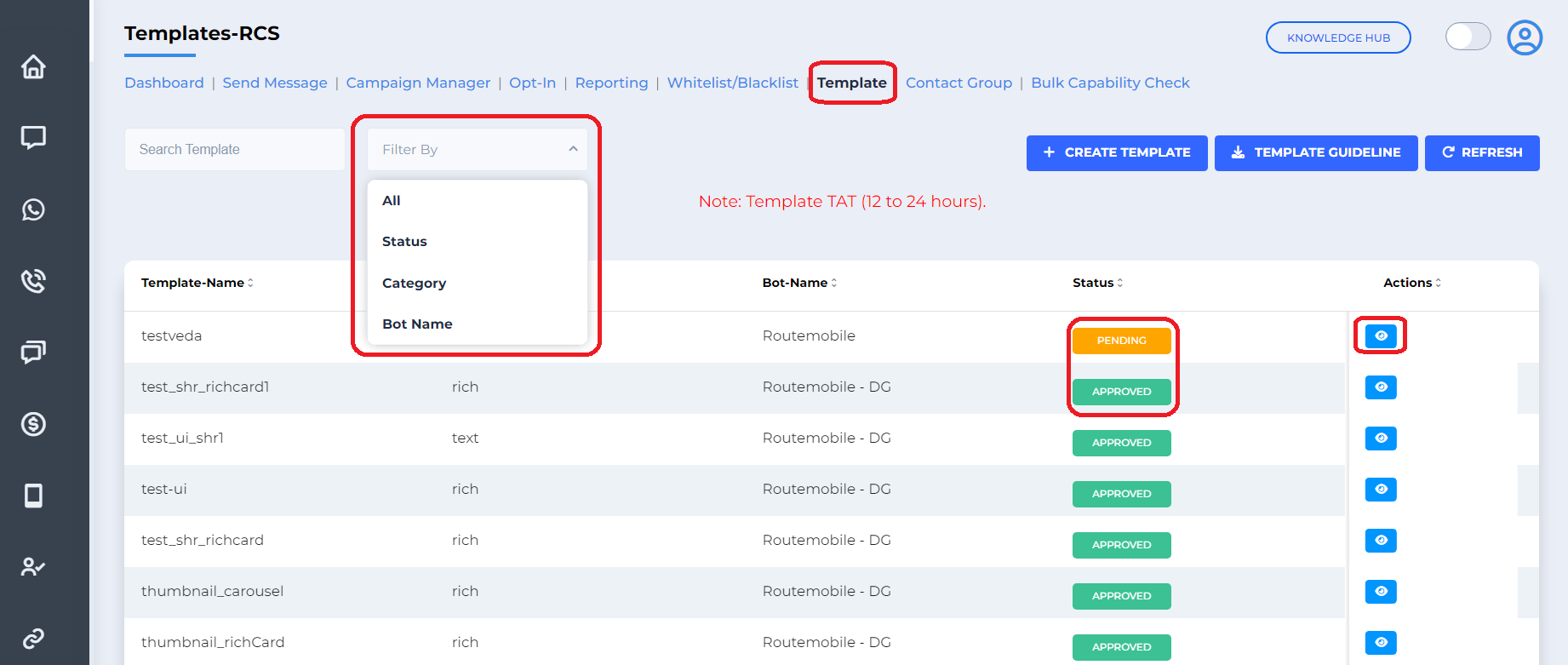
Click on the template tab to view all the templates that have been created.
- Filter By: View templates according to template category, status, or bot name.
- Status: Check whether the template is Approved, Rejected, or Pending.
- Actions: View the template details. Once the template is approved, you don't have an option to edit it.
Rich Card Standalone
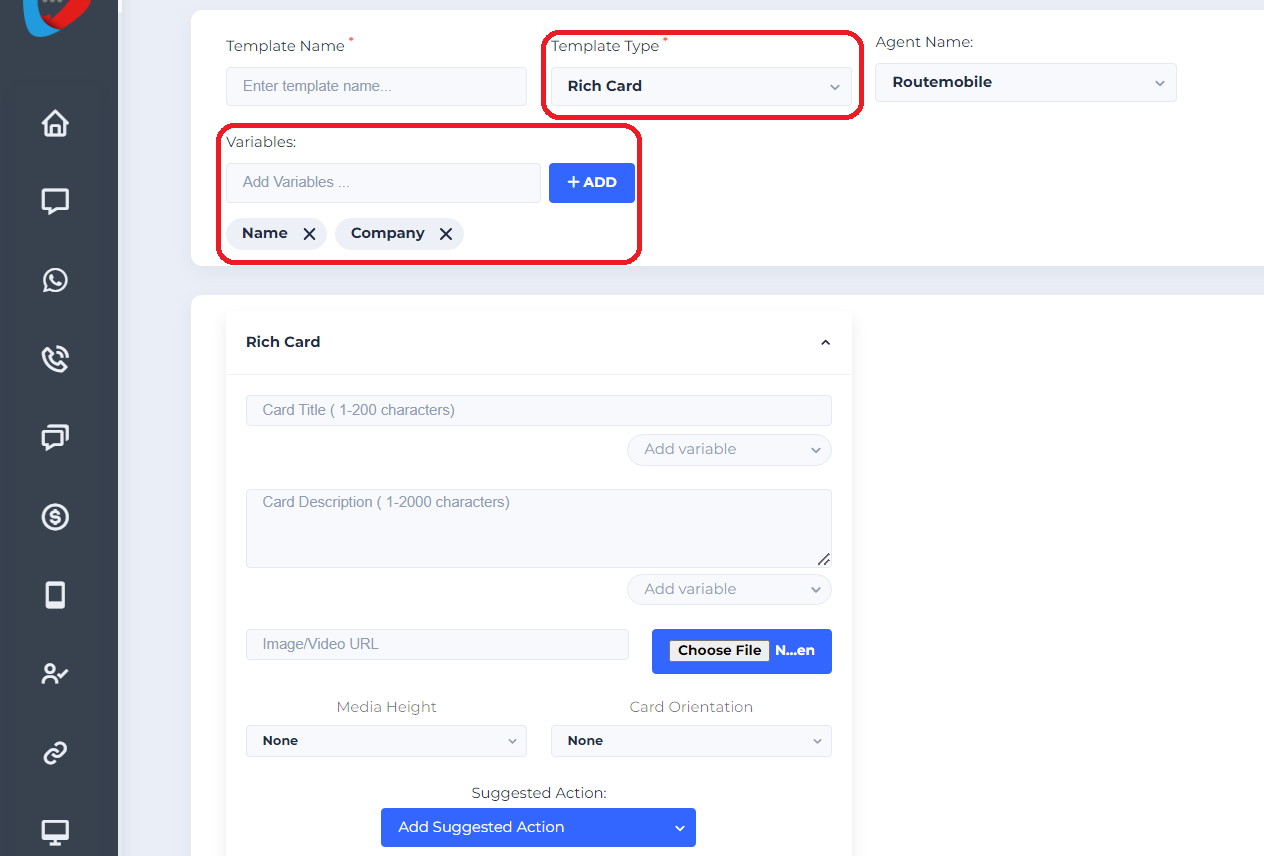
If Template Type is Rich Card, configure the following details:
- Variables: “n” number of variables can be added within the character limit.
- Card title: Mandatory field shouldn’t exceed 200 characters.
- Media Height: Download the template guidelines for image resolutions.
- Card Orientation: Select Vertical or Horizontal.
Rich Carousel
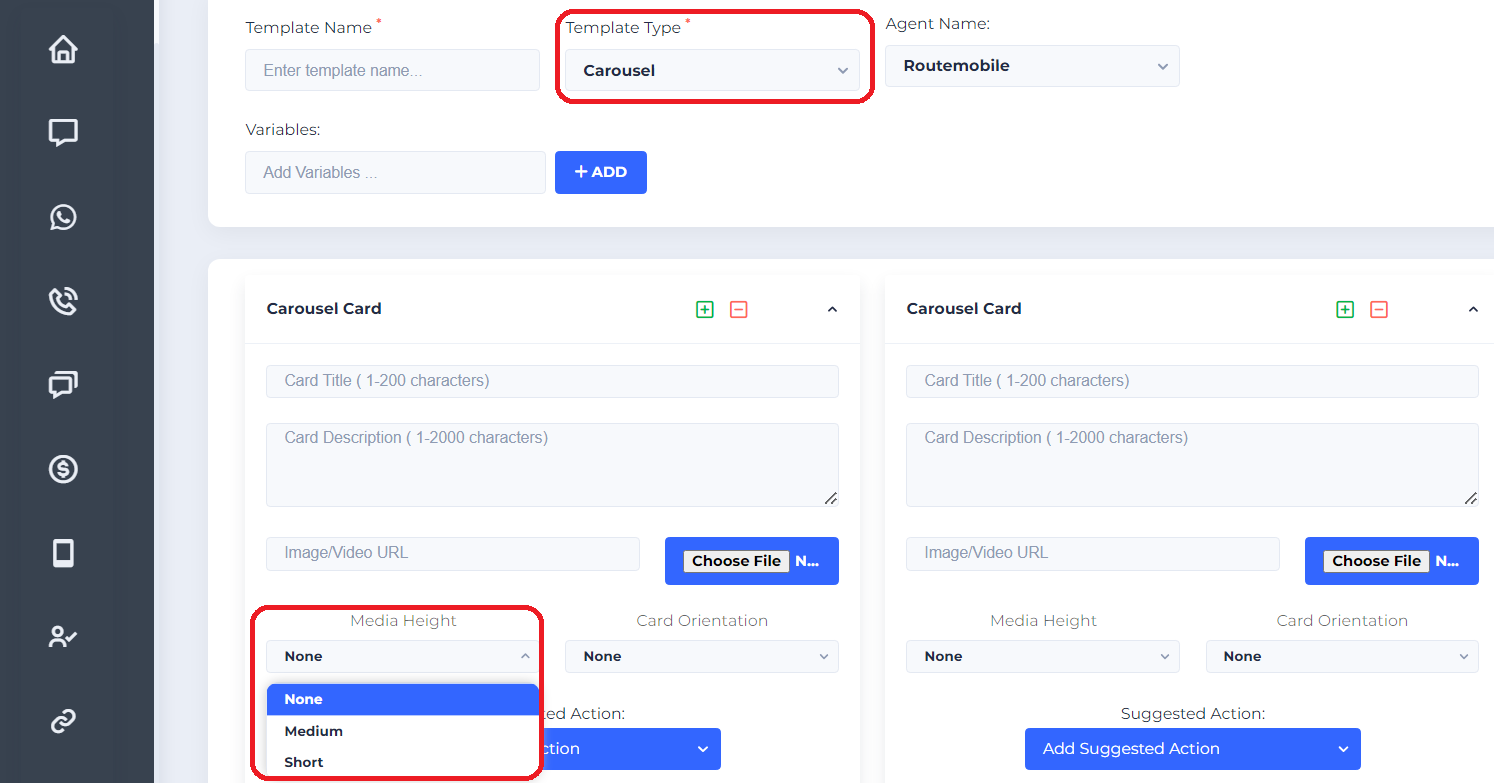
Configure the rich carousel details:
- Rich Carousel: Multiple rich cards with minimum 2 and maximum 10 cards.
- Media Height: Select Medium or Short.
- Media Width: Select Medium or Small.
- For more details, download the template guidelines.
Suggested Actions
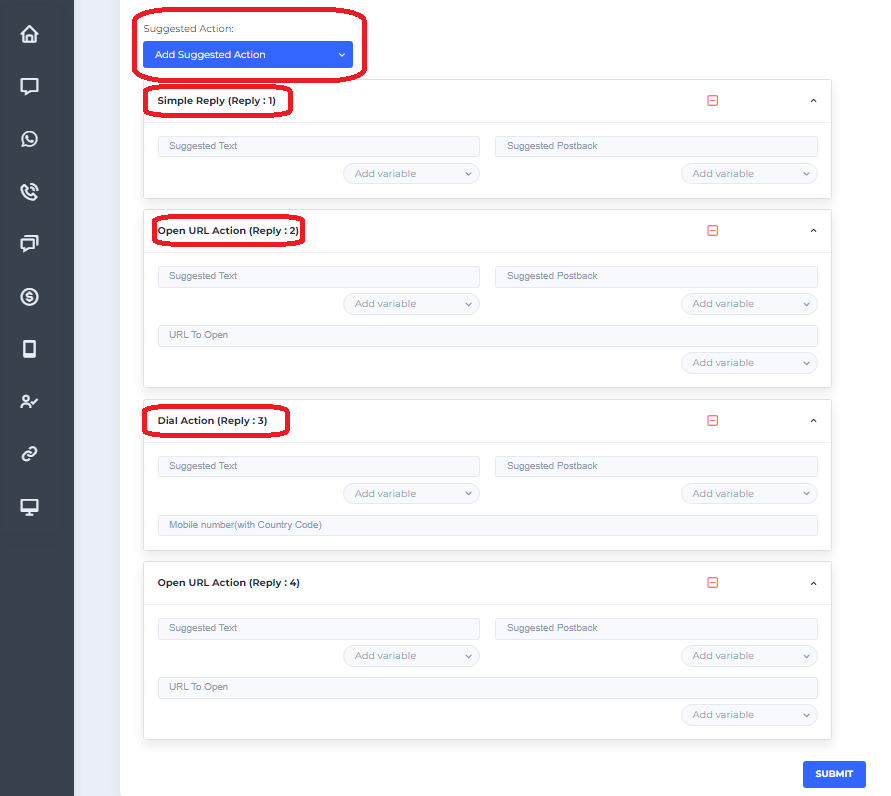
Configure the suggested actions:
- Suggested Actions: You can have up to 4 suggestions with 3 categories.
- Simple Reply: Use reply buttons with a 25-character limit.
- URL Action: Provide a URL that does not exceed 2048 characters.
- Dialer Action: Include a phone number with country code.
- Calendar Action: Add an event to the calendar.
- Location Action: Share or view a location.
- Buttons can use the same category or a mixture of categories.
Updated 4 months ago
Did this page help you?